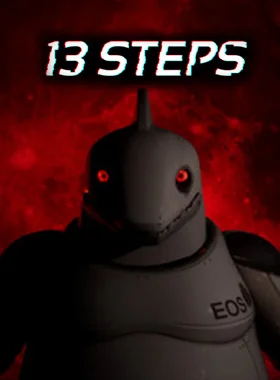
13 Steps PC Steam Preloaded Account

Cod: EF-1704 In stoc

lei55.93

Livrare rapida Estimare 1-2 zile pentru produsele disponibile.
Retur 14 zile Ai drept de retur conform conditiilor magazinului.
Plati sigure Comanda si plata sunt procesate securizat.
Suport Te ajutam cu alegerea produsului potrivit.
SKU: EF-1704 Categorii: ,

Descriere

  • 13 Steps PC Steam Preloaded Account


      „13 Steps” is a puzzle platformer game available on PC through Steam. The game follows the story of a lost soul trying to escape from a mystical world. To do this, the player must navigate through a series of levels, each with its own unique challenges and puzzles to solve.

      The gameplay of „13 Steps” involves jumping and running through the levels, avoiding obstacles and enemies, and using special abilities to overcome challenges. These abilities include double-jumping, dashing, and a power-up that allows the player to create temporary platforms in mid-air.

      The game features a variety of environments, including dark forests, icy caves, and ancient ruins, each with its own distinct aesthetic and challenges. The levels are also filled with secrets to discover, including hidden areas and collectibles that can unlock new abilities and upgrades.

      As the player progresses through the game, they will encounter boss battles that require strategy and skill to overcome. These bosses are often themed around the environment of the level, such as a giant spider in the forest or a powerful ice golem in the caves.

      „13 Steps” features hand-drawn graphics and a hauntingly beautiful soundtrack that creates a dark and immersive atmosphere. The game also has a compelling story that unfolds through cutscenes and in-game dialogue, revealing the secrets of the mystical world and the player’s role in it.

      Overall, „13 Steps” is a challenging and atmospheric puzzle platformer that will appeal to fans of the genre. With its unique abilities, diverse environments, and engaging story, it offers a captivating gaming experience that will keep players coming back for more.


      To redeem this, go to How to redeem Steam Preloaded Account

Informații suplimentare

Regiune

Worldwide

Platformă

Steam Pre Loaded

Sistem

PC

Activare

Redeeming on Steam Steam Client Launch the Steam client and log in to your Steam account. (If you don't have it, download and install it from here) On the lower-left corner, click on Click + ADD A GAME, then select Activate a Product on Steam… A Product Activation window will pop up, just click Next. Read the Agreement, and click I Agree. Enter the Steam game code and hit Next. Click Finish. At this point, you can choose to download/install the game on your PC now or do it at a later time. You will find your game in your Steam Library. Steam Website Go to Activate a Product on Steam, make sure you are already logged in to your Steam account. Enter your Steam product code on the space provided, tick the I agree box, then click Continue. The game will now be added to your Steam Library. For Steam Pre-loaded Accounts Launch the Steam Client using the Steam credentials sent to your email address. (If you don't have it, download and install it from the official Steam website). To get the verification code, log in to the Electronic First Email Login using the Email Credentials sent to your email address, and enter the verification code on Steam. Make sure that the content on the account is correct (e.g., correct edition of the game, no playtime, etc.). Change the credentials to make the account your own. We recommend you do this as soon as possible: Change the email Change the password Enable Two-Factor Authentication (Steam Guard) The account should be used solely to access the purchased game or content. It is NOT RECOMMENDED to use it as your primary account, as it may cause issues when making purchases. To help you enable Steam Family Sharing and to play this game on your main Steam account, please follow the instructions in this video guide on enabling Steam Family Sharing. Note: Due to technical limitations, some Steam games may be unavailable for sharing. For example, titles that require an additional third-party key, account, or subscription in order to play cannot be shared between accounts. Important: Applying any changes to the purchased account, such as adding a payment method or changing the region, may result in the account being banned. In such cases, no refund is applicable. Having trouble redeeming your code? Check out the Fix Common Errors for Steam guide.

Recenzii

Nu există recenzii până acum.

Fii primul care scrii o recenzie pentru „13 Steps PC Steam Preloaded Account”

Adresa ta de email nu va fi publicată. Câmpurile obligatorii sunt marcate cu *