Descriere
What Do You Get?
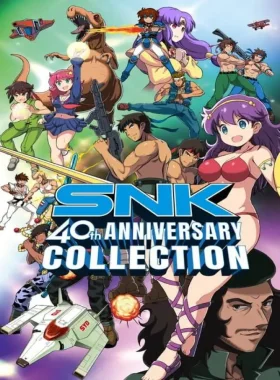
SNK 40th Anniversary Collection is the ultimate collection of classic arcade games from SNK’s golden age, featuring 24 nostalgic titles from the 1980s including Alpha Mission, Athena, Crystalis, Ikari Warriors, and more. Enjoy modern features like rewind, watch mode, 4K resolution graphics, and redesigned controls for the best experience on Steam. Dive into the SNK Museum Mode to explore the history of SNK with high-definition artwork and exclusive promotional assets.
Key Features
- The Arcade Comes Home! – Play arcade and console versions of over 20 titles and challenge for personal bests without quarters.
- Modern Meets Retro! – Rewind and save anytime, updated 4K graphics, and modern control schemes.
- Enter the SNK Museum – Explore SNK’s legacy with HD artwork and rare assets.
How to Activate
- Create a Steam account if you don’t have one.
- Launch Steam and log in.
- Click on the „Games” tab and select „Activate a Product on Steam”.
- Enter the activation key and follow the on-screen instructions.
- Download and play from your Steam Library.
What’s Steam?
Steam is the leading digital distribution platform for PC games, offering a vast library of titles, community features, and easy activation. Access your games anytime on PC with just a few clicks.
©SNK CORPORATION ALL RIGHTS RESERVED.




Recenzii
Nu există recenzii până acum.