Descriere
What Do You Get?
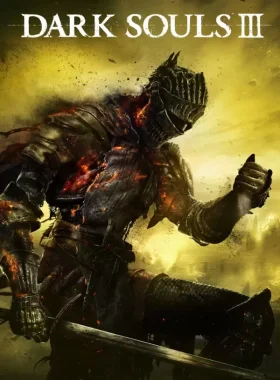
Winner of gamescom award 2015 „Best RPG” and over 35 E3 2015 Awards and Nominations. DARK SOULS™ III continues to push the boundaries with the latest, ambitious chapter in the critically-acclaimed and genre-defining series. As fires fade and the world falls into ruin, journey into a universe filled with more colossal enemies and environments. Players will be immersed into a world of epic atmosphere and darkness through faster gameplay and amplified combat intensity. Fans and newcomers alike will get lost in the game hallmark rewarding gameplay and immersive graphics. Now only embers remain… Prepare yourself once more and Embrace The Darkness!
How to Redeem
- Create a Steam account if you don’t have one.
- Launch the Steam client and log in.
- Click on the „Games” tab and select „Activate a Product on Steam”.
- Enter the product key provided.
- Follow the on-screen instructions to complete activation.
- Download and install DARK SOULS™ III from your Library.
What’s Steam?
Steam is the ultimate destination for PC gamers. Access a vast library of games, including blockbusters and indie titles, with seamless downloading and automatic updates. Enjoy online multiplayer, community features, and exclusive deals directly from your PC.
This product is for the ROW (Rest of World) region and requires a broadband internet connection for activation and online play.
What’s Steam Platform?
Steam is Valve’s digital distribution platform for video games, offering a secure environment for purchasing, downloading, and managing games on PC. It supports genres like Action and RPG, perfect for titles like DARK SOULS™ III.
![[ECHOSTASIS] PC Steam CD Key](https://stampile-online.cloud/wp-content/uploads/2026/09/thumbnail_1786216552_6a77806891c3a-280x360.webp)

Recenzii
Nu există recenzii până acum.